Export Reports to Google Sheets
Google Sheets Schedules allow you to automatically export data from a report/chart widget to a Google spreadsheet.
This is useful when you want to push raw data from your database into Google Sheets so that you can perform further reporting calculations within Google Sheets itself.
Data Freshness
Google Sheets Schedule always uses updated data from the user's database. It does not fetch data from our cache.
How to Setup
1. Create a scheduled Google Spreadsheet export
In the dashboard view page, click on Export > Schedule Export and select Google Spreadsheet under Destination.
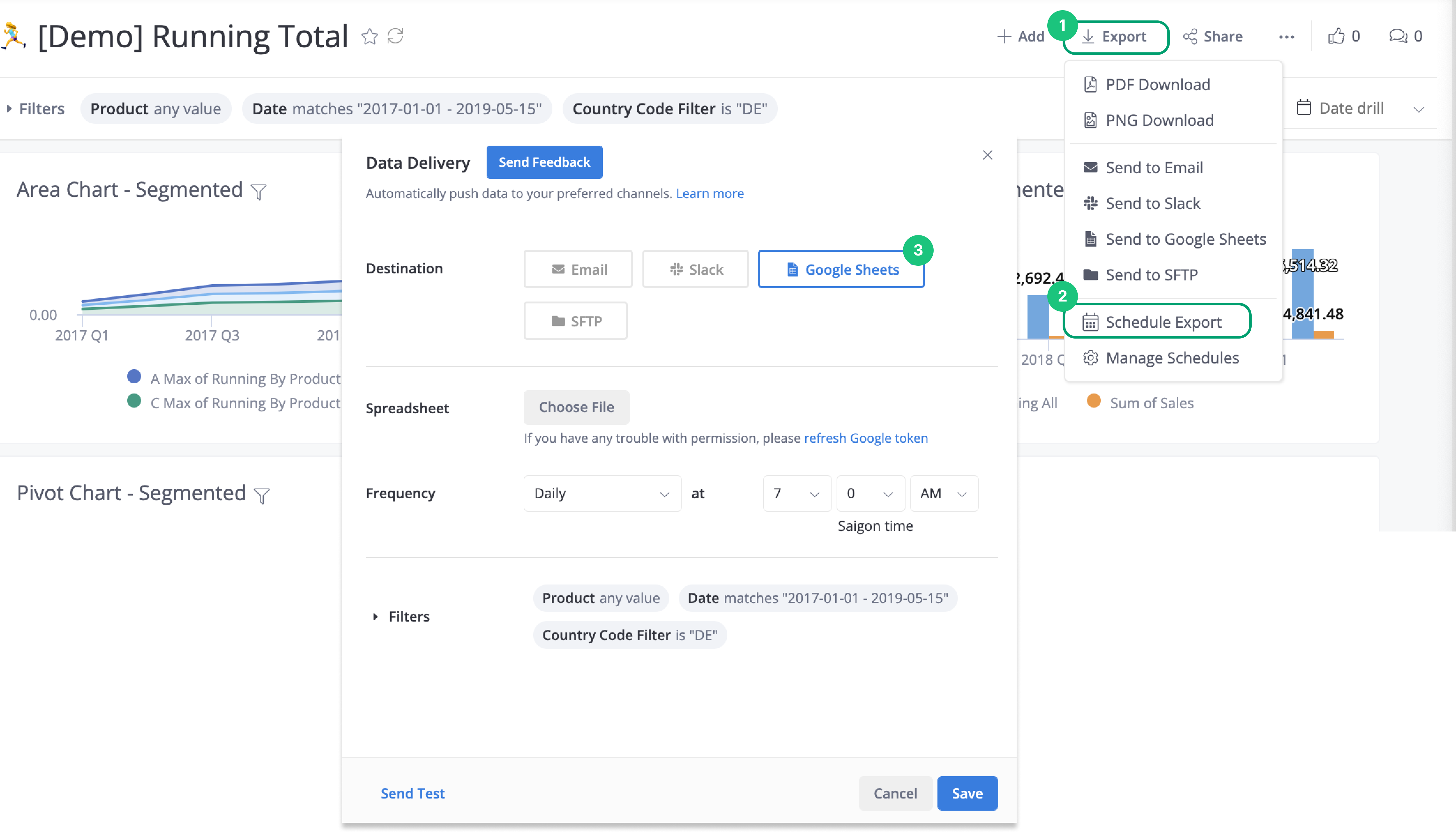
You can schedule an export only if you have a default role of Admin or Analyst. For more information about default roles, see Permission System.
2. Authorizing Holistics to Export to your Google Account
The first time you schedule an export to Google Sheets, you will be prompted to authorize Holistics to get access to your Google Drive. The credential token is kept to keep the schedule running recurringly.
- Under Spreadsheet, click Choose File. The pop-up will show to ask you to authorize.
- Select your Google account and click on Allow to grant permission for Holistics.
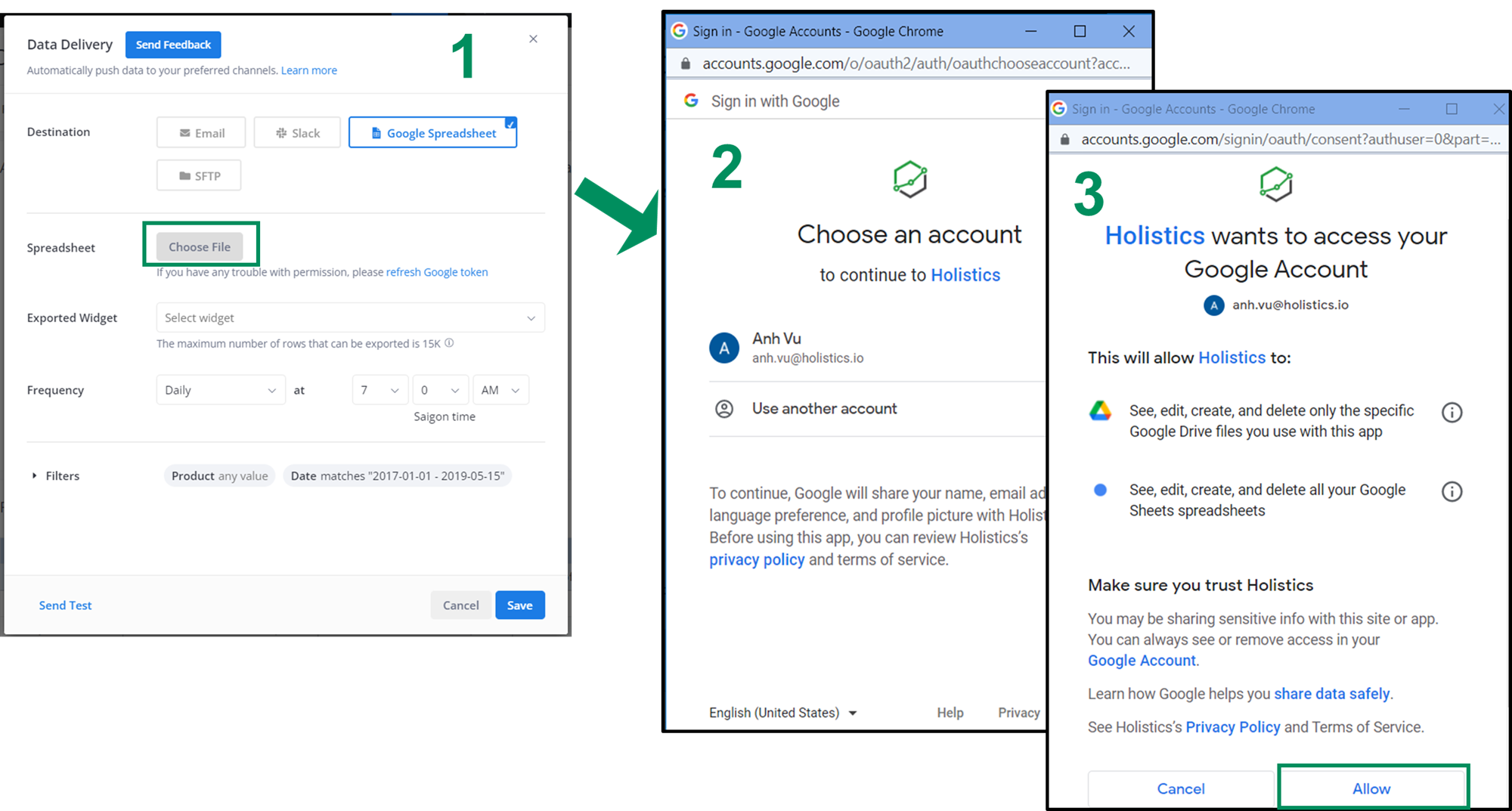
Make sure that the account you use in the login popup is the account that you logged into in the Google Chrome browser.
3. Configure Schedule Export options
When scheduling a Google Sheet export you will be presented with this dialog.
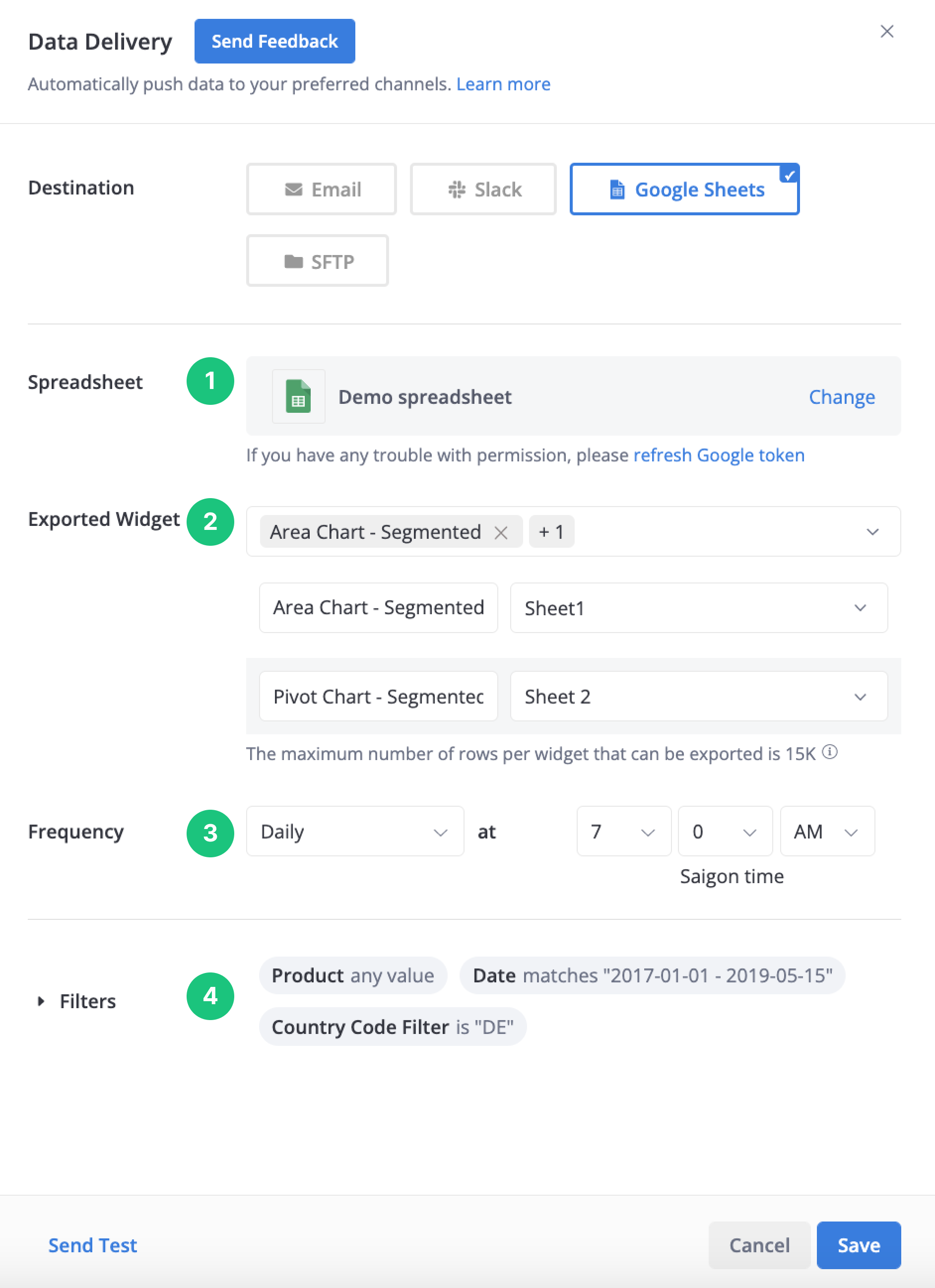
Let’s fill in the required information for your scheduled export.
1. Spreadsheet: Select a spreadsheet to which you want to export data.
2. Exported widget: Select the widget(s) and the worksheet page(s) that you want to export your widget to the spreadsheet. Please note that we support exporting multiple widgets in the same data delivery, and each widget must have its worksheet page.
3. Frequency: Either choose a specific time of the day or an interval such as "Every 6 hours"
4. Filter: Set the filter values for the report.
Finally, click Save and you have scheduled an export of data from Holistics to Google Sheets.
Caveats
- The maximum number of records that are pushed to Google Sheets is 15,000 per execution. This is a limit imposed to prevent timeout and over-exceeding quota on Google Sheets API.
- At the moment, only the underlying data behind the charts/widgets will be exported. No charts or pivot tables will be exported.
FAQs
Will the entire Google Spreadsheet document (with multiple sheets) be overridden?
No. Each schedule will export data from a single chart widget into a single sheet in your spreadsheet document. The other sheets will remain intact.
How can I export more than 15000 rows on Google Sheet Export?
-
You can split your report result into smaller results using a filter. Then create multiple Google Sheet exports for each page.
-
Otherwise, please contact us via [email protected] to raise the Google sheet export limit for your Holistics account.
Kindly specify the new limit you would like to have, and kindly note that higher limits might negatively affect the performance and reliability of the exporting. But we can still adjust later if there is any issue.
I face a “Google Authentication Permission Error”, what should I do?
If you encounter any permission issues (For example the forbidden: the caller does not have permission error which means you do not have permission to access the Google spreadsheet, The API developer key is invalid error or the OAuth flow fails with a 400 error stating the request is malformed and shouldn't be retried), please simply open the Edit schedule dialog and click refresh the token.
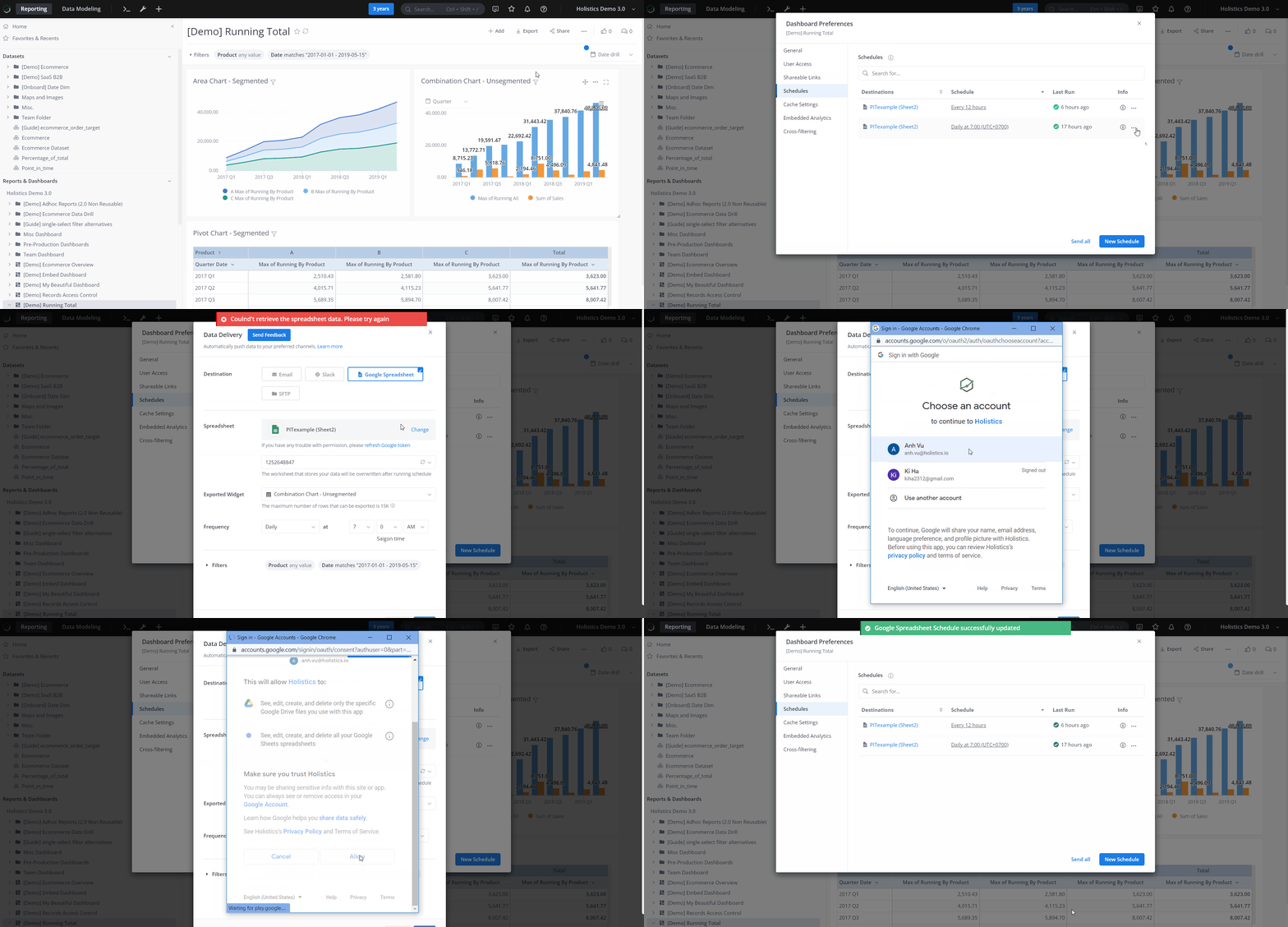
-
You only need to refresh the token one time for all schedules created by one account.
-
Make sure that your browser is allowing third-party cookies. If you are using Chrome, you should be able to find the settings under chrome://settings/cookies.
Can other Holistics users use my Google authentication credentials?
We link the Google credential token only to your Holistics account and will not share the token with anyone. It means if your colleagues also have a Holistics account, they will not reuse your token but instead, they will need to go through the process of generating their own token.